Google Forms links are long, full of random characters, and can look untrustworthy on a flyer, in an email, or in a text message. ShortQR's free Google Forms link shortener turns any form URL into a short, clean, trustworthy-looking link you can share anywhere without it looking suspicious.
What Is a Google Forms URL Shortener?
A Google Forms URL shortener converts the long docs.google.com/forms/... link into a short, clean link that redirects to the exact same form — making it easier to share for surveys, registrations, and sign-ups.
Why Shorten Google Forms Links?
Looks More Trustworthy
A long Google Forms URL full of random characters can look suspicious in a text message or email. A short, clean ShortQR link looks more legitimate and is easier to trust.
See What's Actually Working
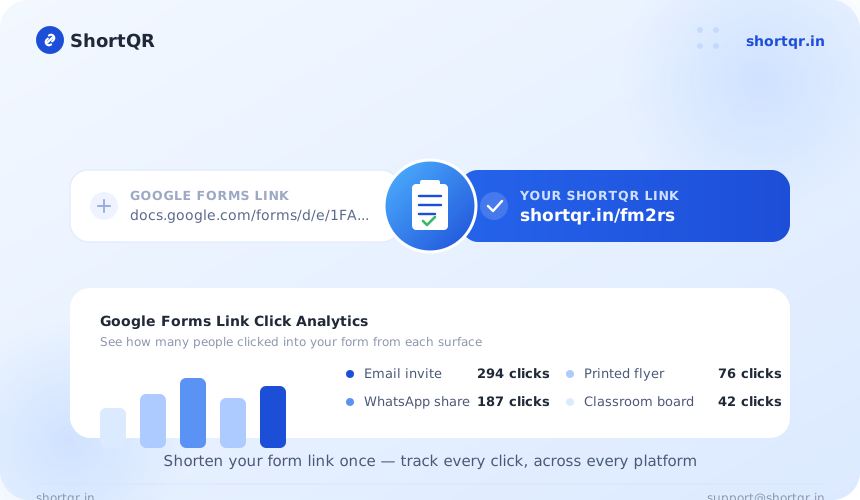
Use a separate short link in each email, WhatsApp message, or flyer, and compare click counts to see which channel is driving the most form submissions.
Ready for Print or QR Instantly
A short link is far easier to write on a whiteboard, poster, or registration desk sign than a long form URL. Pair it with ShortQR's QR Code Generator for a scannable version.
How to Shorten a Google Forms Link
- Copy your Google Forms link from the form's Send or Share menu.
- Paste it into the box above and click Shorten URL.
- Copy your new short link — ready to share immediately, no signup required.
- Check your click stats anytime from your ShortQR dashboard to see how many people clicked.
Paste Your Form Link
Copy your Google Forms URL and paste it into the box above.
Click Shorten
ShortQR generates a short, working link instantly — no signup, no waiting.
Share & Track Clicks
Copy your new short link and share it anywhere. Check your dashboard anytime to see total clicks.
Common Use Cases
- Surveys & feedback forms: Share a clean, short link to a customer or employee survey.
- Event registration: Print or share a short registration link on flyers and social posts.
- Classroom & education: Write a short link on a whiteboard or read it aloud for students to type easily.
- Email campaigns: Replace a long form URL with a clean link that looks trustworthy in an inbox.
- Multiple campaigns: Create separate short links for the same form across different channels to compare which drives the most responses.
Benefits of Shortening a Google Forms Link
- Looks more trustworthy and legitimate than a raw Forms URL
- Easier to type, remember, and write down manually
- Keeps the exact same destination — no change to where it leads
- Includes free click tracking to see how many people clicked
- Can be turned into a QR code instantly for print materials
Frequently Asked Questions — Free Google Forms Link Shortener
How do I shorten a Google Forms link for free?
Paste your Google Forms URL (the long docs.google.com/forms/... link) into ShortQR's free Google Forms link shortener and click Shorten to get a short, easy-to-share link, with no signup needed.
Will a shortened Google Forms link still open the exact same form?
Yes, it redirects to the exact form you entered, and respondents can fill it out normally.
Can I track how many people clicked into my Google Form?
Yes, ShortQR tracks clicks on the shortened link itself, giving you a view of link clicks separate from Google Forms' own response count.
Is the ShortQR Google Forms link shortener free to use?
Yes, shortening Google Forms links with ShortQR is completely free with no signup and no limit on how many links you create.
Why shorten a Google Forms link?
Google Forms URLs are long and full of random characters, which can look untrustworthy on flyers, in emails, or in text messages — a short link looks more legitimate and is easier to type or write down.
Conclusion
A Google Forms URL shortener gives you a clean, shareable link without changing where it points. Whether it's a survey, registration, or feedback form, a short link from ShortQR is easier to read, share, and track — and it's free with no signup.
Ready to try it? Shorten your Google Forms link now — free, no signup required.